Quick answer
To integrate JazzCash on your website, apply to JazzCash for an online payment gateway merchant account, get sandbox credentials, connect your site through a plugin or a server-side hosted-checkout integration, test every outcome in the sandbox, then switch to live credentials. A JazzCash Business app account alone gives you Raast QR, not a website checkout.
Key takeaways
- A JazzCash Business account (CNIC, selfie and biometric check in the app) is not the same as a website payment gateway merchant account, which JazzCash handles through its own contact form.
- Most website integrations send the customer to JazzCash's hosted payment page, so card and wallet details never touch your server.
- Your developer will normally receive a Merchant ID, a password and a secret key (often called an integrity salt or hashkey); keep them on the server only.
- JazzCash's published July to September 2026 schedule lists fees for Business app products such as Raast QR (0.25% including FED), but not a website gateway rate. Get that in writing.
- Never mark an order paid because the customer landed on a success page. Confirm it server to server and test refunds, failures and timeouts in the sandbox first.
What does JazzCash payment gateway integration mean for your website?
JazzCash payment gateway integration means your checkout page can take payment from a customer's JazzCash wallet (and, depending on your agreement, cards and vouchers) and your website learns automatically whether the payment worked. Without it, you are left with "send a screenshot on WhatsApp", which creates fake payment claims and hours of manual checking.
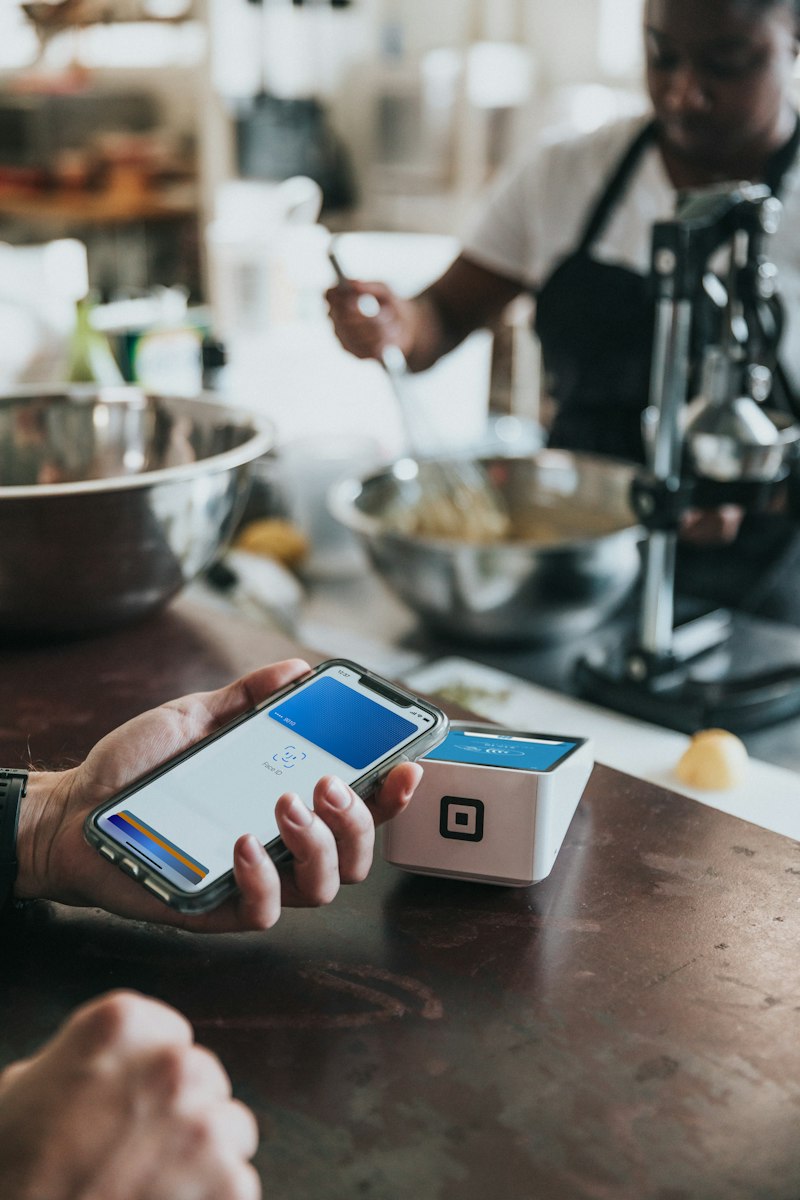
JazzCash's own payment gateway page shows the customer side. The shopper selects JazzCash at checkout, enters a JazzCash mobile number (and optionally the last six digits of the CNIC), then approves the payment with an MPIN through a USSD prompt or in the JazzCash app. There is also a voucher option: the customer receives a 12-digit code by SMS and pays it through the app, USSD or a JazzCash retailer before it expires. JazzCash lists "5+ payment methods supported".
This guide is for the person who has to make it work: an owner, a marketer or a developer. For a wider comparison of providers, start with our guide to the payment gateway options in Pakistan. Everything here was checked on 25 November 2026, and requirements change, so confirm with JazzCash before you apply.
How do you get a JazzCash merchant account?
There are two different things that people call a "JazzCash merchant account", and mixing them up wastes weeks. One is a JazzCash Business account in the app. The other is an online gateway merchant arrangement for your website.
1. JazzCash Business account (app)
According to JazzCash's Business onboarding page, you open the JazzCash Business app, enter your mobile number and the SMS code, upload your CNIC and photo, scan both sides of the CNIC, enter the CNIC number and issue date, take a live photo, complete biometric verification, add business information, confirm with another SMS code and create an MPIN. The page says any eligible Pakistani individual with a valid CNIC operating a business can apply, that a valid CNIC is mandatory, and that additional documents may be required depending on business type. Once the account is approved, a Raast QR is generated for accepting payments.
That gives you in-person and QR collection. It does not, by itself, put a JazzCash button on your checkout.
2. Gateway merchant account (website)
For a website, JazzCash's payment gateway page ends with a "Get in touch" form headed "Let's find the right payment solution for you". That is the official starting point we could find. We did not find a public, official list of documents for the website gateway, so do not trust a blog (including this one) that gives you one. Ask JazzCash which documents your business type needs.
Based on how most Pakistani gateways work, be ready with: your CNIC and business registration or NTN details, a business bank account, and a live website with contact details, prices in PKR, and delivery and refund policies. That is our expectation, not a JazzCash rule. Our gateway guide has a longer preparation list.
Which integration option should you choose?
Choose by your platform and your developer's time. For most small stores, a hosted checkout through a plugin or a short server-side integration is the right size. Here are the options side by side.
| Option | How it works | Good for | Watch out for |
|---|---|---|---|
| Hosted checkout (redirect) | Your site sends the order details to JazzCash; the customer pays on JazzCash's page and returns to you | Custom sites and apps with a developer | You must verify the result on your server |
| WooCommerce plugin | A plugin does the redirect and callback handling | WordPress stores | Plugin quality and updates vary; read the next section |
| Server-side API from your own code | Your developer builds the request, signature and callback handler | Laravel, Node or PHP sites, mobile apps | Secrets, hashing and error handling are yours to get right |
| Aggregator | One provider integrates JazzCash, Easypaisa and cards for you | Shopify stores, or sellers wanting one contract | Aggregator fees on top; separate approval |
| No integration: Raast QR or payment link | Customer scans a QR or opens a link, outside your checkout | Phone orders, WhatsApp sellers, shops | Manual order matching |
If you sell on Shopify, you will need a third-party gateway rather than Shopify's own. Our Shopify store in Pakistan guide explains the set-up, and an aggregator is usually the practical route there.
How does a JazzCash API website integration work?
In the hosted-checkout pattern used by community libraries and plugins, the flow has five steps. We could not open JazzCash's own developer guide while writing this, so what follows is based on the listing of a WooCommerce plugin and an unofficial library, both of which we did open. Use JazzCash's current guide for exact field names, endpoints and API versions.
- Get credentials. After you register, the unofficial zfhassaan/jazzcash library README says you receive a Merchant ID, a password, a hashkey, and separate sandbox and production URLs. The WooCommerce plugin calls the secret an "integrity salt".
- Create the order on your side first. Save the order as "pending payment" with a unique reference and the exact PKR amount before sending the customer anywhere.
- Redirect to the hosted page. Your server builds the request and signs it. The WooCommerce plugin listing says it signs requests and callbacks with HMAC-SHA256 and sends customers to JazzCash's hosted payment page, where card and wallet details are entered, so your server never handles them. The unofficial library says it supports only the hosted checkout flow.
- Receive the result. JazzCash sends the customer back to your return URL and, per the plugin listing, also calls an IPN URL (instant payment notification: a message to your server). Both addresses are set in the JazzCash portal.
- Verify, then fulfil. Check the signature, the order reference and the amount on your server before marking the order paid. A customer returning to a "success" page proves nothing; it can be faked.
Keep the Merchant ID, password and secret key in server settings, not in website code, JavaScript or shared chats. Our web development team builds this callback handling for custom sites and stores.
Is the JazzCash WooCommerce plugin good enough?
It can be, if you check it first. The plugin we opened is the third-party Fauran Pay with JazzCash for WooCommerce on WordPress.org. It is not an official JazzCash product, so treat it as one option, not an endorsement.
- What it says it does. Customers can pay by card (Visa and Mastercard with 3-D Secure), mobile account or over-the-counter voucher, on JazzCash's hosted page.
- Limits. It works with the classic shortcode checkout, not the block-based checkout.
- Track record. At the time we checked it showed 40+ active installations, and its listing dates conflict, so it is a young, small plugin.
- Sandbox set-up. Enter sandbox credentials from the JazzCash sandbox portal, keep Sandbox Mode on, add the Return URL and IPN URL shown in the plugin settings to the portal, then place a test order.
Before installing any payment plugin, check "last updated", "tested up to" and reviews, and test it on a staging copy of your store. If your volume is high or you need support from a company, ask your developer to build and maintain the integration instead.
How do you test in the JazzCash sandbox before going live?
Test every outcome in the sandbox, not only the happy path. A sandbox is a practice environment with fake money, and the WooCommerce plugin listing says a JazzCash sandbox account is free. Live credentials are a separate step.
- Successful payment. Order becomes "paid" once, the customer sees a confirmation, and your stock reduces once.
- Failed or declined payment. Order stays unpaid and the customer can retry without creating a duplicate order.
- Customer closes the page. The IPN still arrives and updates the order, or the order times out cleanly.
- Tampering. Change the amount or reference in a test request and confirm your server rejects it.
- Duplicate callbacks. The same notification twice must not ship two parcels.
- Refund and reconciliation. Practise the refund process and match test payments against the JazzCash portal report.
Then go live with real credentials and make two or three small real payments, including one refund, before you announce the option to customers. Keep a log of every test with the order number and result.
What does JazzCash charge, and what is not published?
The only JazzCash-side fee schedule we could find is the Mobilink Microfinance Bank Branchless Banking schedule of charges, valid from 1 July to 30 September 2026, for the "JazzCash Business (Merchant) Application". Its standard MDRs (merchant discount rates, the percentage taken from each payment) include:
- QR or till payments through Raast: 0.25% including FED (federal excise duty)
- Request to Pay through Raast: 1% including FED
- Payments through "pay via link": 3%
- Customer to merchant payments into a merchant account: 0.75%
- Incoming bank transfer (IBFT) and funds from a JazzCash account: 2% including FED
That schedule does not list a rate for a website payment gateway. We did not find one on JazzCash's pages, so we do not give one. Ask JazzCash in writing for the MDR per method, whether tax is included, any setup or monthly fee, the settlement time and how refunds are charged. The schedule is quarterly, so check the current one.
Easypaisa vs JazzCash for an online store: which should you add?
Most stores do best offering both, because customers hold one wallet or the other. We could not load Easypaisa's current merchant page for this article, so we do not compare its fees or terms. Use the same questions with both providers and decide on facts.
| Ask each provider | Why it matters |
|---|---|
| Written MDR per payment method, and is tax included? | The headline rate is rarely the full cost |
| Settlement time to your bank account | Decides your cash flow |
| Sandbox, documentation and a named integration contact | Decides how long your developer needs |
| Plugin or SDK for your platform | Shopify, WooCommerce or custom code need different routes |
| Refund, dispute and failed-payment handling | You will use it sooner than you expect |
| Reports and reconciliation files | Your accountant needs them every month |
Ask your own buyers first. Look at your last month of WhatsApp orders and see which wallet they use. If you want both wallets plus cards behind a single integration, an aggregator is worth quoting. Aggregator Simpaisa's guide describes the trade-off as one contract and one integration against a direct JazzCash agreement; it is a vendor article, so get independent quotes.
Go-live checklist and common mistakes
- Business and tax documents ready, and the right account type applied for (website gateway, not just the app).
- Website live with contact details, PKR prices, delivery, refund and privacy policies, and HTTPS.
- Written fee quote and settlement terms saved.
- Secrets stored on the server only; two-factor login on the portal and your store admin.
- Order created before redirect; result verified server to server; duplicate callbacks handled.
- Sandbox tests logged for success, failure, cancel, timeout, tampering and refund.
- Live test payments done, including a small refund.
- Reconciliation sheet matching orders, gateway fees and bank settlements.
The mistakes we see most are trusting the success page, testing only the happy path, putting secret keys in front-end code, and assuming an app account is a website gateway. If cash on delivery is hurting you, read our guide on fake COD orders and show wallet payment above COD at checkout. For a rough build budget, use our website cost calculator.
How can Digitt Hype help?
We integrate local payment gateways into WooCommerce, Shopify and custom sites through our web development service, and into mobile apps through app development. That includes sandbox testing, secure callbacks, refunds and reconciliation reports. If you are unsure which route fits, contact us with your platform and monthly order count.
Frequently asked questions
How do I get a JazzCash merchant account for my website?
JazzCash's payment gateway page directs merchants to a "Get in touch" form to find the right payment solution. Separately, you can open a JazzCash Business account in the app with your CNIC, a live photo and biometric verification, which gives you Raast QR. Ask JazzCash which documents your business type needs for website payments.
Does JazzCash have an API for websites?
Yes. JazzCash runs a sandbox portal for merchants, and community libraries and plugins describe a hosted checkout flow with a Merchant ID, password and secret key. Always use JazzCash's current guide for exact endpoints, fields and signing rules.
Is there a JazzCash sandbox for testing?
Yes. The WooCommerce plugin listing we checked says a JazzCash sandbox account is free and that live credentials are separate. Test successful, failed and cancelled payments, duplicate callbacks and refunds in the sandbox before using live credentials.
What are JazzCash payment gateway charges?
JazzCash's July to September 2026 schedule lists 0.25% for Raast QR and 1% for Raast Request to Pay, both including FED, and 3% for pay via link. It does not list a website gateway rate, so ask JazzCash for a written quote covering MDR, tax, fees and settlement time.
Should I use JazzCash or Easypaisa on my online store?
Many stores offer both because customers use one wallet or the other. Check which wallet your own buyers use, then get written quotes from each provider, or from an aggregator that covers both, and compare fees, settlement time, plugins and refund handling.
Sources 6
- JazzCash: Payment Gateway (customer payment methods and "Get in touch" form)
- JazzCash: Register your account (JazzCash Business onboarding)
- Mobilink Microfinance Bank: Branchless banking schedule of charges, Jul-Sep 2026 (JazzCash Business)
- WordPress.org: Fauran Pay with JazzCash for WooCommerce (third-party plugin listing)
- GitHub: zfhassaan/jazzcash (unofficial PHP library README)
- Simpaisa: How to accept JazzCash payments on your website (aggregator vendor article)
Numbers not matching your dashboard?
That gap is worth an hour of someone’s time. Tell us what you see and we will look at it with you.