Quick answer
There is no fixed Google Ads cost in Pakistan. You set an average daily budget, and each click is priced in a live auction based on your bid, ad quality, landing page and competition. Find your own cost per click in Keyword Planner, add bank taxes on top, and only scale once conversion tracking works.
Key takeaways
- Google Ads has no price list: your cost per click comes from an auction, so use Keyword Planner bid ranges for your own keywords and cities.
- Google can spend up to twice your daily budget on a busy day, but never more than 30.4 times the daily budget in a month.
- Your bank statement can show more than your Google invoice because of provincial sales tax, advance income tax and card conversion charges.
- From September 2026 Google is moving campaigns with campaign-level broad match or automatically created assets to AI Max, so check your settings.
- Set up GA4, conversion tracking and enhanced conversions before you spend, then review search terms and negatives every week.
What decides Google Ads cost in Pakistan?
Google Ads cost in Pakistan is not a fixed price. You choose how much you want to spend per day, and Google charges you per click based on a live auction that runs every time someone searches. Two shops in the same market can pay very different amounts for the same keyword.
Google says six things decide whether your ad shows and where (How the Google Ads auction works):
- Your bid: the most you are willing to pay for one click. Google notes you often pay less than this.
- Ad and landing page quality: summed up in your Quality Score, a 1 to 10 rating of how relevant your ad and page are to the search.
- Ad assets: extras such as call buttons, sitelinks and prices that make your ad more useful.
- Ad Rank thresholds: minimum quality bars an ad must clear to show in a position.
- Context: the search words, the searcher's location, device and time of day.
- Auction competitiveness: how close your rivals are to you.
So the honest answer to "how much does a click cost?" is: it depends on your keyword, your city and how good your ad and page are. A property developer bidding on "plots in DHA Lahore" competes with portals and other developers. A home tutor in Multan bidding on a niche subject may compete with almost nobody. The rest of this guide shows you how to find your own numbers instead of guessing.
What changed in Google Ads in 2026: AI Max and Performance Max
Google is pushing advertisers toward AI-driven campaign types. If you run Google Ads in Pakistan, three changes matter as of November 2026.
1. AI Max for Search campaigns
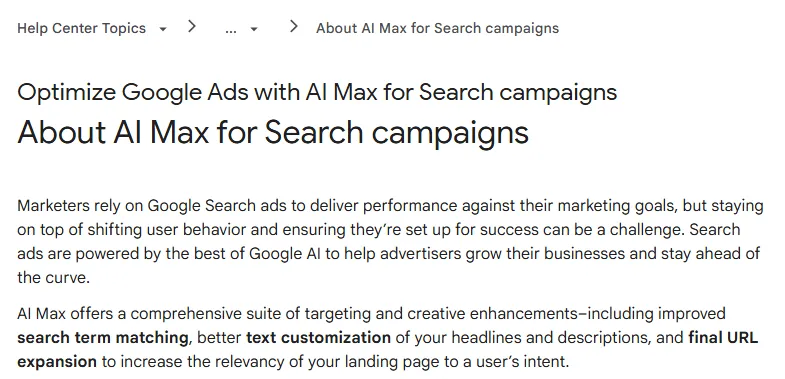
AI Max for Search is a set of features you switch on inside a normal Search campaign. Google's help page lists three parts: search term matching (finding searches beyond your keywords), text customization (AI-written headlines and descriptions) and final URL expansion (sending people to the page on your site that Google thinks fits best). Google's own figure is that advertisers typically see 14% more conversions or conversion value at a similar cost per result; that is Google's internal 2025 data, not an independent test (About AI Max for Search campaigns).
2. Automatic upgrades to AI Max
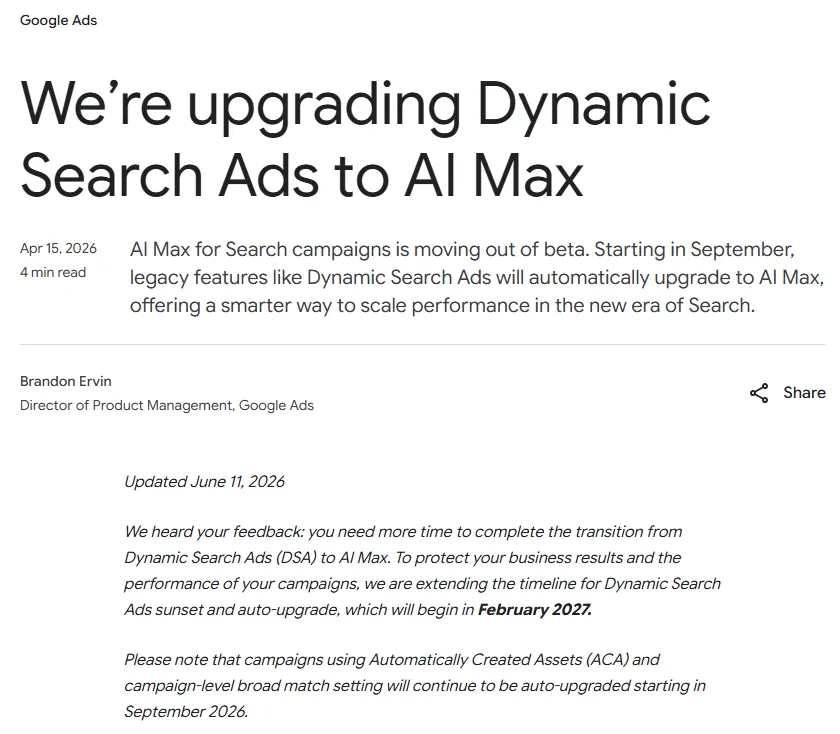
In April 2026 Google announced that legacy features would move to AI Max. An update on 11 June 2026 changed the dates: Dynamic Search Ads will now be retired and auto-upgraded starting February 2027, while campaigns using automatically created assets or the campaign-level broad match setting continue to be auto-upgraded starting September 2026 (Google Ads & Commerce Blog). If you ticked broad match for a whole campaign, your campaign may already be running AI Max.
3. Performance Max is less of a black box
Performance Max (PMax) is a campaign type that shows your ads across Search, YouTube, Display, Maps and Gmail from one budget. In August 2025 Google added a channel performance report (in beta), search terms reporting for all PMax campaigns, campaign-level negative keywords that apply to Search and Shopping inventory, shared negative keyword lists, and device and age controls (Unlock more visibility and control in Performance Max). That helps, but PMax still needs good conversion data to work.
| Campaign type | Good for | Main risk for a new advertiser |
|---|---|---|
| Search with phrase and exact match | First campaign, clear services, tight budgets | Fewer clicks; needs manual keyword work |
| Search with AI Max on | Accounts that already record conversions reliably | Matches searches you did not choose; review search terms weekly |
| Performance Max | E-commerce with a product feed and steady sales data | Spends on channels you cannot see well if tracking is weak |
Why do Pakistani businesses waste money on Google Ads?
Most wasted spend comes from the same few setup mistakes, not from Google being "too expensive". We see these patterns again and again in Pakistani accounts:
- No conversion tracking. The campaign optimises for clicks, so Google finds the cheapest clicks, not the people who call or order. With cash on delivery and WhatsApp orders, many owners never connect the ad to the sale.
- Broad match or PMax from day one. Without conversion data, broad match and AI features have nothing to learn from. A "web design" ad ends up showing for "free web design course" or "web designer jobs in Karachi".
- Whole-country targeting. A clinic in Gulberg pays for clicks from Peshawar and Quetta. Worse, the default location option also reaches people who are only "interested" in your city.
- Ads running at 3 am. If nobody answers the phone or WhatsApp at night, those clicks are lost.
- Slow landing pages. Most visitors arrive on mobile data. If the page takes too long, you pay for the click and they leave. Our website speed guide covers the fixes.
- Surprise charges. The owner sees one figure in Google Ads and a bigger one on the bank statement, and blames Google. The difference is usually bank-collected taxes and conversion charges (more below).
Before you change bids, check each of these in your own account. Fixing tracking and targeting usually saves more than any bid tweak.
How much does Google Ads cost per click in Pakistan, and how do you find your number?
The real Google Ads cost per click in Pakistan for your business is whatever Keyword Planner shows for your keywords and cities, then what your own account reports after a few weeks. We do not quote average Pakistani CPCs here because we could not find a reliable, published benchmark; any single number would mislead you.
Keyword Planner is a free research tool inside Google Ads. Google says you must finish account setup, including billing details, before you can use "Get ideas for new keywords".
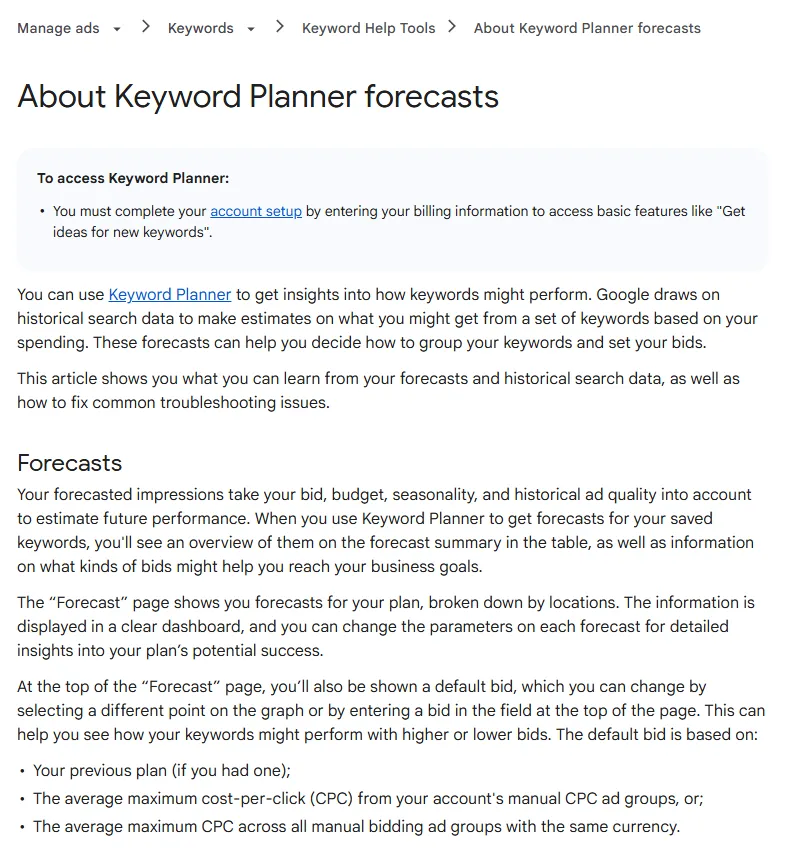
In the results, look at two columns. Top of page bid (low range) is roughly the 20th percentile of what advertisers paid to appear at the top of the first page, and Top of page bid (high range) is roughly the 80th percentile, based on the last 30 days and your chosen locations (About Keyword Planner forecasts). In plain words: most advertisers who reached the top paid somewhere between the two.
To get numbers that mean something:
- Set the location to your actual cities, not "Pakistan".
- Set the language to English, and test Roman Urdu searches too ("ghar ki tameer", "online quran class").
- Group keywords by intent: buyers ("price", "near me", "book", "order") cost more but convert better than researchers ("what is", "how to").
- Write down the high-range bid for each group. Plan with the high figure so you are not caught short.
What is the Google Ads price per month in Pakistan, including tax?
Your Google Ads price per month in Pakistan is the budget you set, plus whatever your bank adds when it pays Google. Google controls the first part tightly; the second depends on your bank, province and tax status.
How Google caps your spend
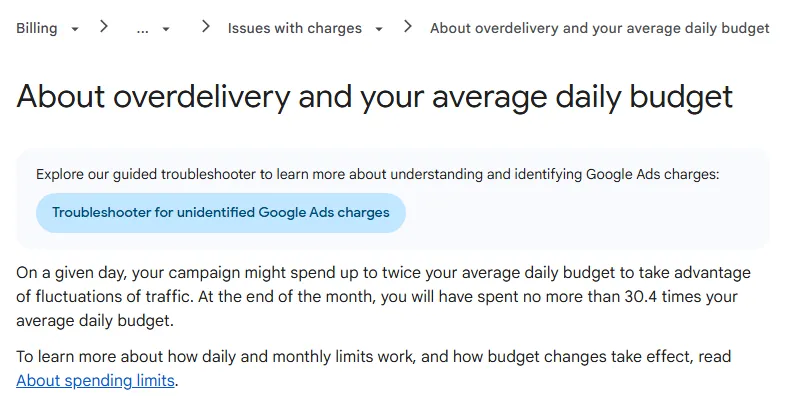
You set an average daily budget. Google says a campaign may spend up to twice that on a busy day, but by the end of the month you will not have been charged more than 30.4 times the daily budget.
So the budget maths is simple. Say you want to spend Rs 30,000 a month: Rs 30,000 / 30.4 is about Rs 987 a day. If you plan for Rs 60 a click (a made-up figure; use your Keyword Planner number), that is around 500 clicks a month. If 5% of those clicks become enquiries, you get about 25 enquiries, or Rs 1,200 each. Run your own figures through our ROI calculator before you commit.
Currency
The Pakistani rupee (PKR) is on Google's list of supported Google Ads currencies (Google Ads API: codes and formats). You pick the currency when you create the account and Google's help says it cannot be changed later; you would need a new account (Google Ads Help: currency and time zone settings). Choose carefully on day one. Payment methods depend on your business address and currency, so check what Billing → Settings offers you.
Google Ads tax in Pakistan: why your statement is higher
When a Pakistani bank pays a foreign platform, several charges can be added on top of the Google invoice:
| Charge | Who applies it | What we found |
|---|---|---|
| Provincial sales tax on advertising services | Your bank, as collecting agent for the province | ProPakistani reported in December 2023 that the Sindh Revenue Board told banks to deduct 13% on ad payments to non-resident platforms such as Google and Facebook. Other provinces have their own rules and rates. |
| Advance income tax on card payments abroad (section 236Y) | Your bank, for FBR | FBR's tax year 2027 withholding tax card lists 0.5% for active taxpayers and 1% for others. The rate changes with Finance Acts, so check the current card (our ad payments guide shows the page). |
| Currency conversion and card fees | Your bank | Applies if you are billed in a foreign currency. Ask your bank for its rate. |
| Digital Presence Proceeds Tax (Finance Act 2025) | Foreign digital platforms and payment intermediaries | Digital Rights Monitor reported a 5% tax on foreign platforms' Pakistani digital and ad proceeds. How it applies to Google Ads has been the subject of FBR clarifications. |
Confirm before you budget
Tax rules for digital ad payments have changed almost every budget year. This table describes what was reported; it is not tax advice. Ask your bank which charges it applies, and confirm your position with FBR or a tax adviser. If your card keeps getting declined, see our guide to ad payment methods in Pakistan; the same bank rules affect Google payments.
How do you set up your first Google Ads campaign in Pakistan, step by step?
Set up tracking first, then a tight Search campaign, then widen only when the data says so. Follow these steps in order.
- Install GA4 and mark your key events. GA4 (Google Analytics 4) is Google's free analytics tool. Add it to your site, then in Admin → Data display → Events mark the actions that matter as key events (GA4's name for conversions): form submitted, WhatsApp button clicked, phone number tapped, purchase. Done looks like: each test action appears in Reports → Realtime. Common mistake: counting every page view as a conversion.
- Create Google Ads conversion actions and turn on enhanced conversions. In Google Ads go to Goals → Conversions → Summary and create conversions for website actions and phone calls, or import your GA4 key events. Then switch on enhanced conversions, which sends a scrambled (SHA-256 hashed) version of the email or phone number a customer types into your form, so Google can match more conversions to ad clicks (About enhanced conversions). Done looks like: the conversion status reads "Recording conversions" after a test lead. Common mistake: counting the same lead twice from both GA4 and the Google tag.
- Do keyword research by city and intent. In Tools → Planning → Keyword Planner, start from your services and your competitors' pages. Keep 3 to 5 tight themes, for example "dermatologist DHA Lahore", "skin specialist Lahore", "acne treatment Lahore". Note the high-range bid for each. Common mistake: one ad group with 80 unrelated keywords.
- Create a Search campaign with the right network settings. Choose your goal (leads or sales) and the Search campaign type. Untick Display Network for this campaign. Leave AI Max off for your first weeks if you have no conversion history, and check it is not switched on by an upgrade later. Common mistake: accepting every recommended setting on the setup screen.
- Use phrase and exact match first. Match types control how closely a search must match your keyword. Exact match
[skin specialist lahore]is the tightest; phrase match"skin specialist lahore"allows words around it; broad matchskin specialist lahorelets Google find related searches. Start with exact and phrase. Try broad match only once you have steady conversions and a Smart Bidding strategy. Done looks like: each ad group's search terms closely match what you sell. - Add negative keywords before launch. Negative keywords stop your ad showing for searches you do not want. Build a shared negative keyword list in the Shared library under Tools, and apply it to every campaign. Pakistani starting points: free, jobs, salary, course, training, pdf, olx, used, internship, kya hai, meaning in urdu. Add your own as you see search terms. Common mistake: adding a negative that blocks your real buyers, such as "price" for a shop that wants price shoppers.
- Target cities and choose "Presence". Under Locations, add the cities or a radius around your branch. Then open Location options. The default, Presence or interest, also reaches people outside your area who show interest in it. For a local clinic, school or shop, Presence (people in or regularly in your locations) is usually the safer choice. Google warns impressions usually drop when you switch, which is the point.
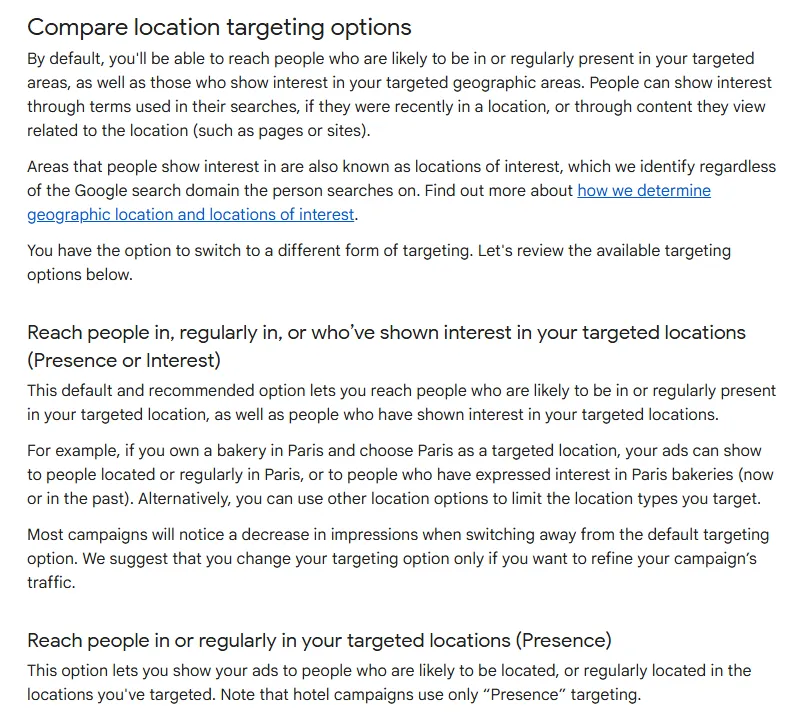
"Presence or Interest" is the default; "Presence" limits ads to people likely to be in, or regularly in, the places you choose. Source: Google Ads Help: About advanced location options. - Set an ad schedule that matches your staff. In the campaign's Ad schedule settings, run ads only when someone can answer calls and WhatsApp. Google Ads uses your account's time zone, so set it to Pakistan time when you create the account. Common mistake: running 24/7 for a business that replies the next day.
- Write ads and add assets. Write at least one responsive search ad per ad group with your city, a clear offer and a price or "from" price if you can. Add sitelinks, call assets and structured snippets. Send traffic to a fast landing page with a WhatsApp button and a short form.
- Pick a starting bid strategy and budget. With no conversion data, start with Maximize clicks with a maximum CPC limit close to your Keyword Planner high range, or manual CPC. Switch to Maximize conversions or a target cost per lead once conversions are recording reliably every week. Set the daily budget from the 30.4 maths above. Done looks like: the campaign spends close to budget without hitting the cap by noon.
Need a team to build this for an online store, school or property project? See how we run paid ads for Pakistani businesses, including setups for online stores, schools and property projects.
What should you check every week after launch?
Spend 30 minutes a week on the same checks. Small weekly fixes beat a big monthly panic.
- Search terms report (Insights and reports → Search terms): add irrelevant searches as negatives, and add good ones as exact keywords. With AI Max or broad match on, this is the most important check.
- Conversions: are leads still recording? Compare the Google Ads count with your WhatsApp chats and call log. If they drift apart, fix tracking before touching bids.
- Cost per lead by ad group: pause keywords that have spent two or three times your target cost per lead with no result.
- Location and time reports: cut cities and hours that spend without leads.
- Ads: replace the weakest headline each week with a new test.
- Upgrade alerts: check the account's notifications for AI Max or other automatic changes.
Your first 30 days
| Week | Do this |
|---|---|
| Before launch | GA4 and key events live; Google Ads conversions and enhanced conversions recording; Keyword Planner bids noted; negative list ready; landing page tested on a phone on mobile data |
| Week 1 | Launch one Search campaign, exact and phrase match, city targeting with Presence, ad schedule set; check search terms every two days |
| Week 2 | Add negatives, pause clear losers, write two new headlines; confirm every lead is counted once |
| Week 3 | Move budget to the best ad group; compare cost per lead with your Rs target |
| Week 4 | Decide: keep manual control, move to Maximize conversions, or test AI Max on one campaign with search terms reviewed weekly |
Google Ads mistakes to avoid in Pakistan
- Judging success by clicks. Cheap clicks from the wrong people cost more in the end. Judge by cost per lead or sale.
- Letting automation run with no data. AI Max, broad match and PMax learn from conversions. With none, they learn from clicks.
- Ignoring the September 2026 upgrade. If a campaign uses campaign-level broad match or automatically created assets, Google may have switched it to AI Max. Open the settings and confirm what is on.
- Choosing the wrong currency or time zone. Both are fixed for the life of the account.
- Budgeting only for the Google invoice. Add a buffer for bank-collected taxes and charges.
- Sending ads to the home page. Send each ad group to the page that matches its keywords.
- Making changes every day. Give each change a few days of data before judging it.
How Digitt Hype can help
Digitt Hype sets up Google Ads accounts with tracking in place before the first rupee is spent: GA4, conversion actions, enhanced conversions, city targeting and negative lists, plus a fast landing page if you need one. We then report cost per lead and per sale, not just clicks. See our paid ads service or contact us for an account review.
Frequently asked questions
What is the minimum budget for Google Ads in Pakistan?
Google does not publish a minimum monthly spend for Search campaigns; you set an average daily budget. In practice, your budget should buy enough clicks to learn from. Multiply your Keyword Planner high-range bid by the clicks you want per day, then multiply the daily budget by 30.4 to get your maximum monthly charge.
How much does one click cost on Google Ads in Pakistan?
There is no single figure. Each click is priced in an auction based on your bid, Quality Score, ad assets, the search context and your competitors. Use Keyword Planner with your city selected: the top of page bid low and high ranges show roughly what the middle 60% of advertisers paid to reach the top.
Can I pay for Google Ads in Pakistani rupees?
PKR is on Google's list of supported Google Ads currencies. You choose the currency when you create the account and cannot change it later without opening a new account. Which payment methods you see depends on your business address and currency, so check Billing, then Settings, in your own account.
Is there tax on Google Ads payments in Pakistan?
Usually yes, collected by your bank rather than shown on the Google invoice. Reported charges include provincial sales tax on advertising services, advance income tax on card payments abroad under section 236Y, and conversion fees. Rates change with Finance Acts and differ by province and filer status, so confirm with your bank and a tax adviser.
Should a small business use AI Max or Performance Max?
Not on day one. Both rely on conversion data to find the right people. Start with a Search campaign on exact and phrase match, get conversions recording reliably, then test AI Max on one campaign while reviewing the search terms report every week. Performance Max suits online stores with a product feed and steady sales.
Why is Google spending more than my daily budget?
Google allows a campaign to spend up to twice its average daily budget on a busy day to catch traffic spikes. Across the month, it will not charge you more than 30.4 times the daily budget. If a busy day worries you, lower the daily budget; the monthly cap moves with it.
Sources 10
- Google Ads Help: How the Google Ads auction works
- Google Ads Help: About AI Max for Search campaigns
- Google Ads & Commerce Blog: We're upgrading Dynamic Search Ads to AI Max (updated 11 June 2026)
- Google Ads Help: Unlock more visibility and control in Performance Max
- Google Ads Help: About Keyword Planner forecasts
- Google Ads Help: About overdelivery and your average daily budget
- Google Ads Help: About advanced location options
- Google Ads Help: About enhanced conversions
- Google Ads API: Codes and formats (supported currencies)
- ProPakistani: Sindh Revenue Board orders banks to charge 13% tax on credit card ad payments
Numbers not matching your dashboard?
That gap is worth an hour of someone’s time. Tell us what you see and we will look at it with you.