Quick answer
Restaurant POS software in Pakistan is a billing system that takes orders by table, sends them to the kitchen, prints tax invoices and tracks stock and sales. A good one also reports each bill to your tax authority (PRA, SRB, KPRA or FBR, depending on where you are), keeps working offline and prints a QR code on the receipt.
Key takeaways
- A restaurant POS is more than a billing screen: tables, kitchen tickets, split bills, stock and reports are what save you money.
- Which tax authority you report to depends on your province: PRA in Punjab, SRB in Sindh, KPRA in Khyber Pakhtunkhwa, and FBR in Islamabad.
- Rates and rules change with each budget, so confirm the current restaurant rate with your authority before you configure tax in the software.
- Billing must keep working when the internet or power drops, so ask every vendor exactly how offline invoices reach the authority later.
- Test with one counter and a few days of real bills before you roll out to every branch.
What does restaurant POS software do, and why is it more than a billing screen?
Restaurant POS software (POS means point of sale: the screen, tablet or computer where a bill is created) records every order from the moment a waiter takes it to the moment the guest pays. It sends the order to the kitchen, prints the bill, takes cash or card, and reports the sale to your tax authority. A plain billing app only does the last two steps.
That difference matters in a Pakistani restaurant, where orders change at the table, families merge tables, and the owner is often not on the floor.
A complete system normally covers six jobs:
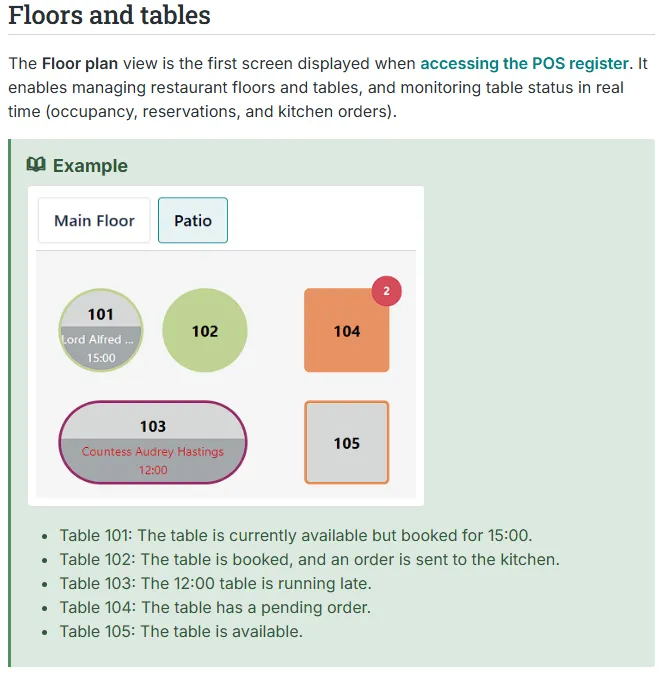
- Table and order management. A floor plan shows which tables are free, booked or waiting for food.
- Kitchen order tickets (KOT). The order prints or appears on a kitchen screen, split by station such as grill, tandoor or bar.
- Billing. Discounts, service charge, split bills, tax and payment method are handled on one bill.
- Inventory and recipes. Each dish uses a set quantity of ingredients, so stock drops as you sell.
- Delivery and takeaway. Phone and rider orders enter the same system as dine-in.
- Reports. Sales by item, hour, waiter and payment method, plus the tax you collected.
If you are still deciding between a till system and a full business system, read our guide to POS vs ERP first. Many single-outlet restaurants only need a good POS. A group with a central kitchen and several branches usually needs stock and accounts joined to it.
Which features should a Pakistani restaurant look for first?
Start with the features that stop daily losses: table orders, kitchen tickets, correct tax on every bill, and a reliable offline mode. Add inventory, loyalty and reporting once billing is stable.
The open-source Odoo platform documents a typical restaurant feature set on its Restaurant features page: floor plans, order taking, sending orders to a kitchen or bar printer, different taxes for eat-in and takeaway, split bills, and tips. You do not need Odoo to get these features.
| Feature | What it does for you | Priority |
|---|---|---|
| Tax-authority integration | Reports each bill, prints the authority's invoice number and QR code | Must have where your authority requires it |
| Table map and order taking | Stops lost orders; lets you move or merge tables | Must have |
| Kitchen tickets (KOT) | Sends each order to the right printer or screen, and prints cancellations | Must have |
| Modifiers and notes | "No onion", "extra spicy", combo choices | Must have |
| Split and merged bills | Family and office groups paying separately | Must have |
| Offline mode | Keeps billing during internet or power problems and syncs later | Must have |
| Staff roles and approvals | Only a manager can void, discount or reprint | Must have |
| Inventory and recipes | Tracks ingredient use, wastage and low stock | Next |
| Delivery and aggregator orders | One screen for phone, website and rider orders | Next |
Staff roles deserve attention: voids and discounts are where cash goes missing.
Which tax authority does a restaurant in Pakistan report to?
It depends on where the restaurant is. Restaurant services are taxed by the provincial revenue authority in the province where you operate: Punjab Revenue Authority (PRA), Sindh Revenue Board (SRB) or Khyber Pakhtunkhwa Revenue Authority (KPRA). In Islamabad, FBR is the authority. Each runs its own invoice-reporting system, and they are not the same as the FBR scheme for retailers.
"FBR POS integration" gets most of the attention online, but FBR's Tier-1 retailer scheme (see our FBR POS integration guide) is separate. For a restaurant in Lahore or Karachi, the provincial system usually matters first.
| Where you operate | Authority | Invoice system, as described by official or press sources |
|---|---|---|
| Punjab | PRA | e-IMS (Electronic Invoice Monitoring System); each POS is registered and a fiscal software component returns an invoice number and QR code |
| Sindh | SRB | SRB POS invoicing system; SRB's own page says it works with the POS solutions on the market and describes it as an e-invoicing system for hospitality, health and beauty |
| Khyber Pakhtunkhwa | KPRA | RIMS (Restaurant Invoice Monitoring System) with a Windows utility or a direct API |
| Islamabad Capital Territory | FBR | FBR POS and service-provider integration; coverage of restaurants has been reported in different ways, so ask your tax adviser |
Punjab: PRA and e-IMS
Punjab began pushing restaurants onto its electronic system in 2024. Business Recorder reported on 11 June 2024 that PRA had sent notices to Lahore restaurants to install the Electronic Invoice Monitoring System within fifteen days, with fines to follow for those who did not (Business Recorder). By December 2024 PRA said about 2,500 restaurants had registered, with 300 sales points integrated through their POS software, in a phased rollout (Dawn).
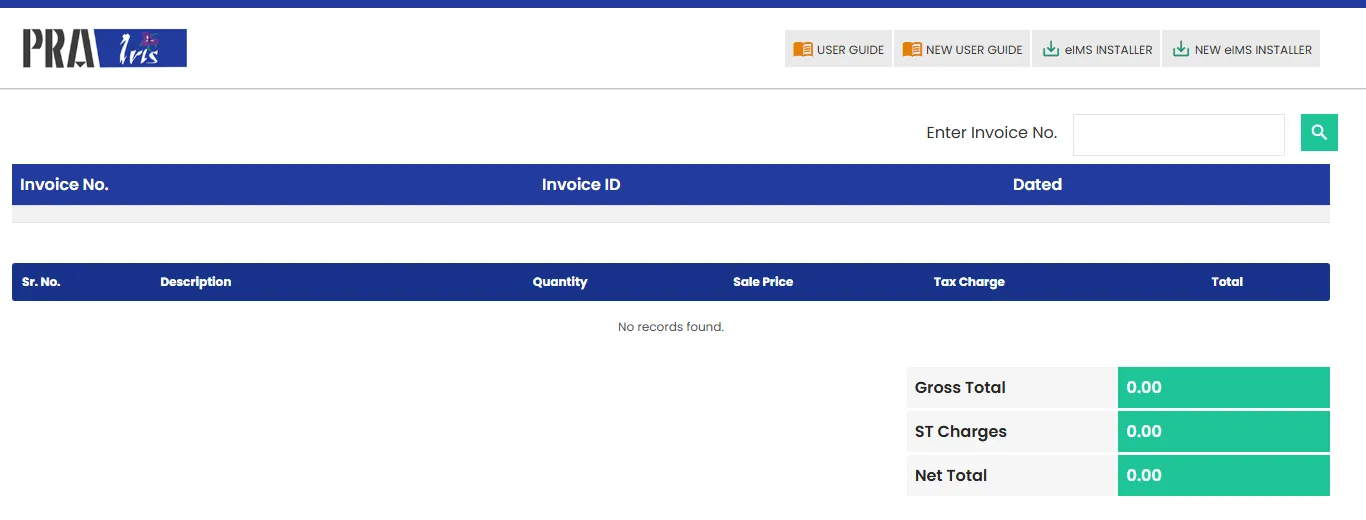
PRA's technical specification (version 1.2, linked from the PRA website) describes the flow: you register each POS counter, install PRA's software fiscal device on the POS computer, and your POS gets back a fiscal invoice number for each bill to print with a QR code. The component later sends stored invoices to PRA, and returns are recorded as credit invoices.
Sindh: SRB POS invoicing
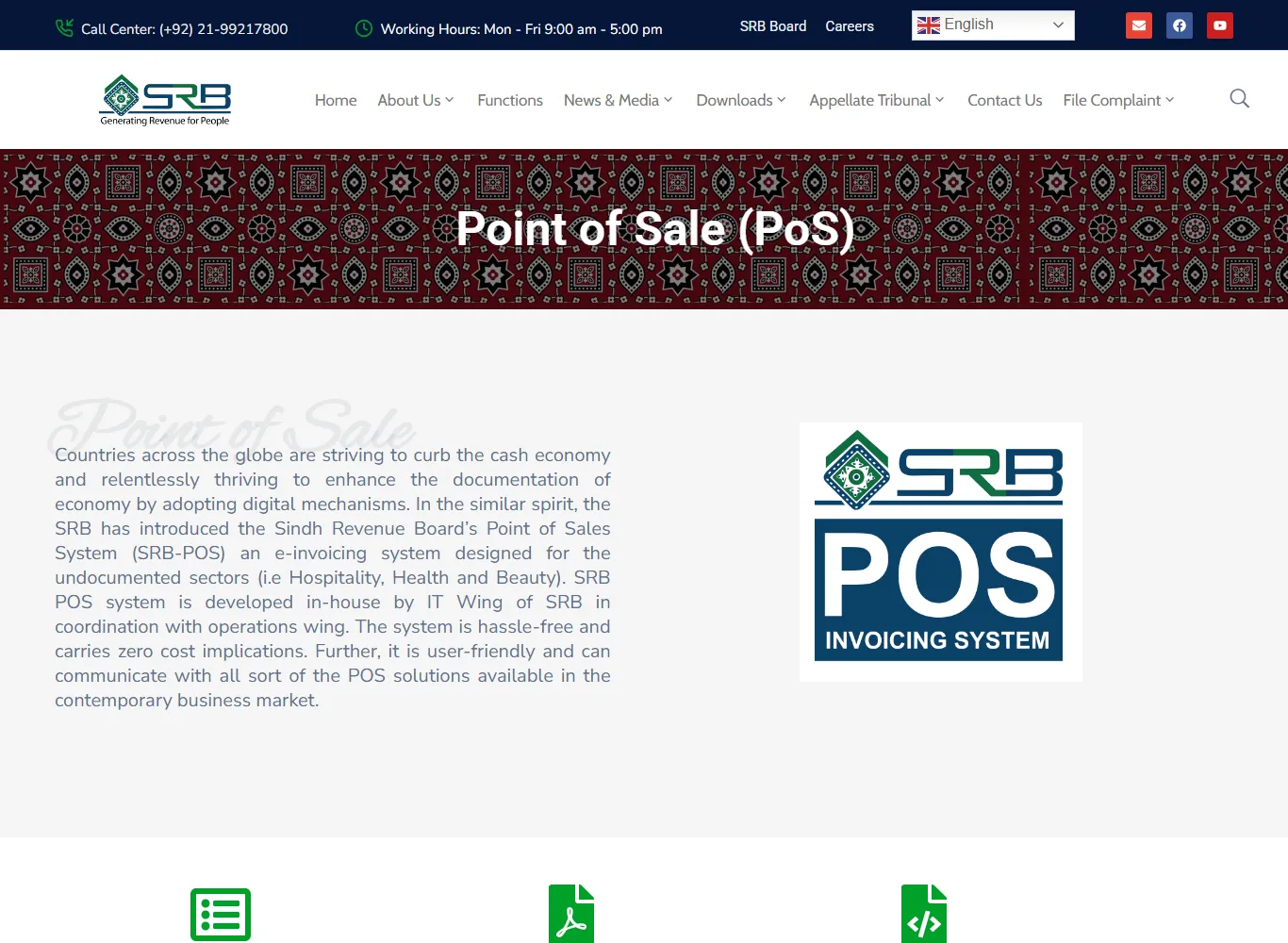
SRB describes its POS system as an e-invoicing system built in-house for sectors such as hospitality, health and beauty, and says it carries zero cost implications for the taxpayer (that refers to SRB's own system; your software vendor will still charge for setup). Its official page offers a user guide, registration, FAQs, invoice verification, and separate technical documents for offline and cloud-based integration.
SRB also checks in person: officers made snap checks at cafes in DHA Karachi on 21 September 2024 and warned of action against restaurants avoiding POS integration (Business Recorder).
Khyber Pakhtunkhwa: KPRA RIMS
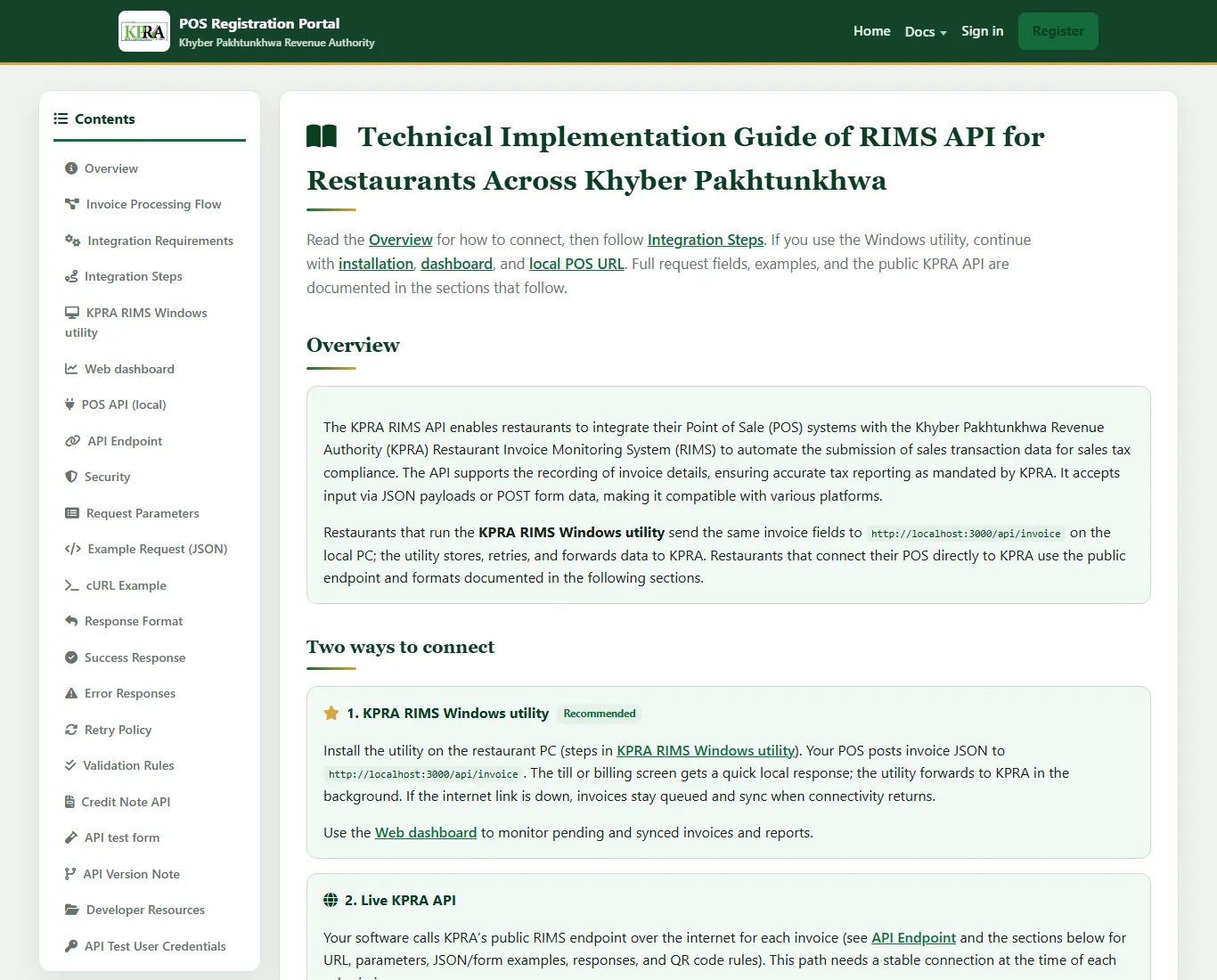
KPRA publishes a developer guide for its RIMS API on its POS registration portal. It offers two ways to connect: a recommended Windows utility that sits on the restaurant computer, and a direct call to KPRA's public endpoint.
Islamabad: FBR
FBR's Tier-1 retailer scheme and its service-provider integration for the Islamabad Capital Territory (ICT) are separate. Customs Today reported on 18 May 2026 that Sales Tax General Order 05 of 2026 (ICT) set registration, testing and invoice deadlines for service providers listed in the ICT tax-on-services law, and exempted those already integrated with FBR's POS system (Customs Today). That report does not say which restaurants are covered. Ask your tax adviser or FBR office before you assume either way.
Confirm before you buy
This section reflects what these sources said as of 17 November 2026. Who must integrate, and by when, can change. Check with your provincial authority or a tax adviser, then give the answer to your vendor in writing.
What sales tax rates apply to restaurants, and why must the software handle two rates?
Punjab and Sindh both charge a lower restaurant sales tax rate on card, wallet and QR payments than on cash, so your software must know how each bill was paid. The exact rates change with provincial budgets, so never type a rate into your POS from a forum post.
What we could confirm from the sources we opened:
- Punjab. Profit reported on 1 July 2026 that, under the Punjab Finance Act 2026, tax on restaurant bills paid by debit card, credit card, mobile wallet or QR code rose from 5% to 8% from 1 July, while cash and other methods stay at 16% (Profit).
- Sindh. The last rates we could source are in SRB Circular 04/2024 of 30 June 2024: 15% on cash and 8% on digital payments, unless SRB has allowed 15% on digital payments too (Business Recorder). Dawn's 15 June 2025 report on the Sindh budget mentions an 8% tax on online payments at restaurants (Dawn). We did not find a 2026-27 notice, so check SRB's site for the current position.
- Khyber Pakhtunkhwa. KPRA's 2026 technical guide uses a 5% rate in its sample invoices. A sample is not a rate notification, so confirm the rate with KPRA.
Say your Lahore restaurant prepares a bill of Rs 5,000 before tax. These numbers are an example only, using the Punjab rates above. If the guest pays cash, the tax at 16% is Rs 800 and the total is Rs 5,800. If the guest pays by card at 8%, the tax is Rs 400 and the total is Rs 5,400. The POS must pick the right rate from the payment method.
Two details trip up restaurants: a bill paid partly by cash and partly by card (ask your tax adviser how it is taxed), and a mid-year rate change (a good vendor lets you set a new rate with an effective date).
How does tax-invoice integration actually work inside a restaurant POS?
In plain terms: the POS sends each finished bill to the authority's system, gets back a unique invoice number, and prints that number with a QR code on the receipt. The guest can scan the code to check the bill was reported.
The steps are similar across authorities, even though each has its own technical details:
- Register the business and each counter. You or your vendor register each branch and POS counter on the authority's portal. PRA's guide, for example, asks for the sector, branch details and a unique counter name for each POS. You get a registration or POS ID.
- Test first. PRA's fiscal component has a sandbox (test) mode, and KPRA offers an API test form. Common mistake: going live without checking the receipt shows the invoice number and QR code.
- Connect the software. A small local program (PRA's fiscal component, KPRA's Windows utility) or a direct web call carries the bill data. Your vendor does this work; ask who supports it when the authority updates its specification.
- Print the invoice number and QR code on every receipt. Check dine-in, takeaway and delivery bills, not only the main counter.
- Handle returns correctly. A refund or cancelled bill after payment should create a credit note that refers to the original invoice, not a deleted record. PRA's and KPRA's guides both describe credit invoices.
- Reconcile weekly. Compare the POS tax report with the authority's portal or your return. A gap means some bills are not reaching the authority.
Finally, scan the QR code on one of your own receipts and make sure it opens a valid record. It takes two minutes and catches most setup mistakes.
What hardware does a restaurant POS need, and what happens when the internet or power goes down?
You need a billing screen, a receipt printer, a kitchen printer or screen, and a way to survive internet and power cuts. Offline capability matters more than screen size, because a restaurant cannot tell a full dining room to wait.
A practical hardware list for one outlet:
- Billing terminal. A computer, touch screen or tablet, depending on the software.
- Thermal receipt printer. Check that it prints the QR code at a size phones can scan. Ask your vendor which models they have tested.
- Kitchen printer or display. One per station if stations are far apart.
- UPS or battery backup. Load shedding cuts the router and the computer at the same moment. A UPS gives you minutes to finish and print open bills.
- Router with a backup connection, and a cash drawer. Confirm how card payments are recorded, because the tax rate may depend on payment method.
Offline mode has two parts that are often confused. Local billing means the POS keeps taking orders and printing bills without internet. Delayed reporting means those bills reach the tax authority once the connection returns. KPRA's guide says its Windows utility queues invoices while the internet is down and syncs them later. SRB's POS page lists separate technical documents for offline integration. PRA's specification says its component sends stored invoices to PRA in a separate process. Whatever your vendor promises, ask them to show it: unplug the router, make five bills, plug it back in, and see those bills appear on the portal.
Plan your hardware for the worst evening of the month, not the average one.
How do I choose and set up restaurant POS software step by step?
Choose by running your own real day through a demo, not by comparing feature lists. Set up in a fixed order: tax first, menu second, tables third, staff last.
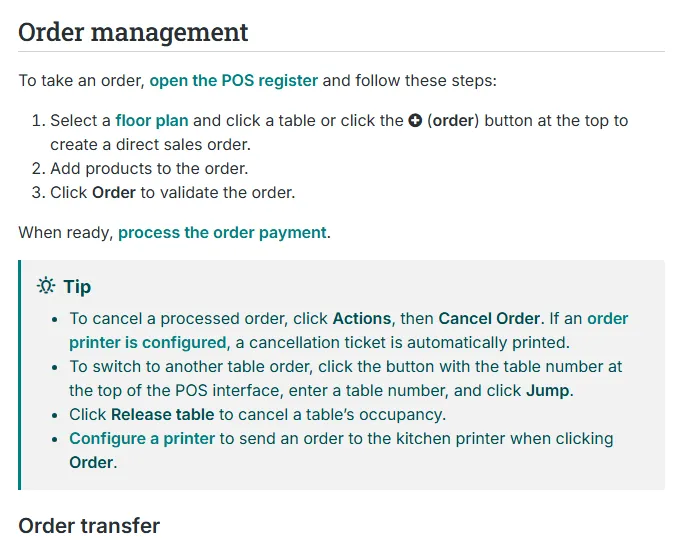
- Write down how an order really moves. From the waiter's pad to the kitchen to the bill: counters, tables, takeaway, delivery, advance bookings for events. Note odd cases such as staff meals and corporate discounts.
- Confirm your tax authority and ask the vendor to show a live integration. Ask for a restaurant already using the system with PRA, SRB or KPRA, and ask who handles registration, testing and later changes. Do not accept "yes, we are integrated" without seeing a receipt with the authority's number and QR code.
- Build the menu carefully. In the software, create categories, items, sizes, modifiers and prices. Link each item to a kitchen station. In Odoo's documentation, for example, a product needs a POS category before its order can print at a kitchen printer, and the menu path is Point of Sale → Configuration → Settings → Preparation. The rule is the same everywhere: no station, no kitchen ticket.
- Draw the floor plan. Add each floor or hall, the tables and their seats. Match the table numbers painted or placed on the actual tables.
- Set tax rules. Add the rate for cash, the rate for digital payments if your authority has one, and any separate setting for eat-in and takeaway that your adviser confirms. Test one bill of each type against your calculator.
- Set up staff roles. Waiters take orders; cashiers take payments; only a manager voids, discounts or reprints. Give each person their own login; a shared login makes a missing bill impossible to trace.
- Run a one-counter pilot. Use the new system for lunch and dinner on a quiet weekday while the old method runs in parallel. Compare totals at close.
- Go live branch by branch. Train every shift and print a one-page cheat sheet for the counter.
What should I ask a POS vendor, and what drives the cost?
Ask how the vendor handles tax integration, offline billing, data ownership and support, then ask for a written quote that lists every recurring and one-time charge. We do not quote a price here because POS prices vary widely and we could not source them reliably from official pages.
The cost drivers are the same everywhere: the licence model (monthly subscription, one-time licence or custom build), hardware, tax-integration setup and later updates, training, support hours, and any customisation such as delivery-app connections.
| Question to ask | A good answer sounds like |
|---|---|
| Which tax authorities do you integrate with, and can I see a live receipt? | Names PRA, SRB or KPRA, shows a real receipt with invoice number and QR code |
| What happens to bills when the internet is down? | Explains local billing and delayed upload, and demonstrates it |
| Who updates the system when the authority or the rate changes? | The vendor, with the cost stated in the quote |
| Who owns my data, and what are the support hours? | You own it and can export it; support covers evenings and weekends |
| What are all recurring charges? | A list: per-terminal, per-branch, SMS, hosting, support |
Compare at least two written quotes on the same list. If one is much cheaper, check what is missing: integration, training, hardware or support. The most common surprise is an extra that is billed after signing.
If you also take online orders, see our guide on restaurant ordering apps vs Foodpanda commission.
What mistakes should I avoid, and what is a 30-day plan for the move?
The costliest mistakes are choosing on price alone, skipping the tax-integration test, and giving every employee the same login. A fixed 30-day plan avoids most of them.
- Assuming "FBR approved" means you are covered. A restaurant in Punjab, Sindh or Khyber Pakhtunkhwa usually answers to its provincial authority.
- Typing tax rates from memory. Use the authority's current notice.
- Deleting bills to "fix" mistakes. Use a void with a reason, or a credit note.
- No backup power or backups. A power cut mid-service can corrupt a local database. Use a UPS and automatic off-site backup.
- Ignoring the receipt. Check it shows your business name, items, tax and the authority's invoice number and QR code.
Here is a plan for one outlet. Copy it into your own checklist.
- Days 1-3: Confirm your tax authority and whether you must integrate. List your must-have features.
- Days 4-12: Get demos with your own menu from two or three vendors, then written quotes, then sign terms for integration, support, data export and rate changes.
- Days 13-16: Register the business and counters, enter the menu and floor plan, set tax rules and staff logins.
- Days 17-19: Send test bills to the authority's test system, run the offline test, scan a test QR code.
- Days 20-26: Train every shift, then pilot on real service while keeping the old record as a cross-check.
- Days 27-30: Go live, compare the POS tax report with the authority portal, and fix gaps. Then plan inventory and recipes as the next stage.
Stock tracking is the natural next step. If your kitchen buys from many suppliers, our guide to moving from Excel to ERP inventory software shows how that works.
How can Digitt Hype help with restaurant POS software in Pakistan?
Digitt Hype is a digital agency in Pakistan that builds custom POS and ERP systems. If you want a restaurant POS and management system in Pakistan shaped around your menu, branches and reports, we can scope it with you, including the link to your tax authority's invoice system, which we would confirm against the authority's current documentation before we start.
We also work with other restaurant businesses on websites and ordering channels. To discuss your outlet, contact us. We will not promise a price or a timeline before we understand your requirements.
Frequently asked questions
Is POS integration with a tax authority mandatory for restaurants in Pakistan?
It depends on your province, your size and the current notification. PRA, SRB and KPRA all run restaurant invoice systems, and PRA and SRB have publicly enforced them. Whether your outlet must integrate now is a question for your provincial authority or tax adviser, so ask in writing.
Which restaurant POS system is best in Pakistan?
No single system suits every restaurant. Choose by your needs: tax integration with your authority, kitchen tickets, offline billing, staff roles, and support hours. Ask each vendor to demo your own menu and show a live receipt with the authority's invoice number and QR code.
How much does restaurant POS software cost in Pakistan?
Prices vary by vendor and we could not source reliable figures from official pages, so we do not quote any. Cost depends on the licence model (subscription, one-time or custom), hardware, tax integration, training and support. Get written quotes that list every one-time and recurring charge.
Does restaurant POS software work without internet?
Good systems keep taking orders and printing bills offline, then upload invoices when the connection returns. KPRA's guide describes this for its Windows utility. Ask your vendor to demonstrate it by unplugging the router, making a few bills, reconnecting and showing them on the authority's portal.
What sales tax do restaurants charge in Punjab in 2026?
Profit reported that from 1 July 2026 Punjab restaurants charge 8% on card, wallet and QR payments and 16% on cash and other methods, under the Punjab Finance Act 2026. Confirm the rate with PRA or your tax adviser before you set it in your software.
Can a restaurant use the same POS for dine-in, takeaway and delivery?
Yes. Most restaurant systems take dine-in, takeaway and delivery orders on the same screen, and some allow different tax settings for eat-in and takeaway. Check that each order type prints a correct tax invoice and appears in the same daily report.
Sources 10
- Odoo documentation: Restaurant features (CC BY-SA 4.0)
- Sindh Revenue Board: Point of Sale (PoS) invoicing system
- PRA eIMS portal: invoice lookup
- KPRA POS Registration Portal: RIMS API guide for restaurants
- Business Recorder: PRA enforces e-invoice monitoring in restaurants (11 June 2024)
- Dawn: 2,500 Punjab restaurants integrated with e-IMS (21 December 2024)
- Business Recorder: SRB snap checks at restaurants and cafes (23 September 2024)
- Profit: Punjab increases restaurant sales tax on digital payments to 8% (1 July 2026)
- Dawn: Sindh offers tax relief to boost economic activity (15 June 2025)
- Customs Today: FBR makes POS integration mandatory in Islamabad (18 May 2026)
Numbers not matching your dashboard?
That gap is worth an hour of someone’s time. Tell us what you see and we will look at it with you.